Telechunk user guide
From a new account to your first trusted answer.
Step 01
Authenticate with Telechunk
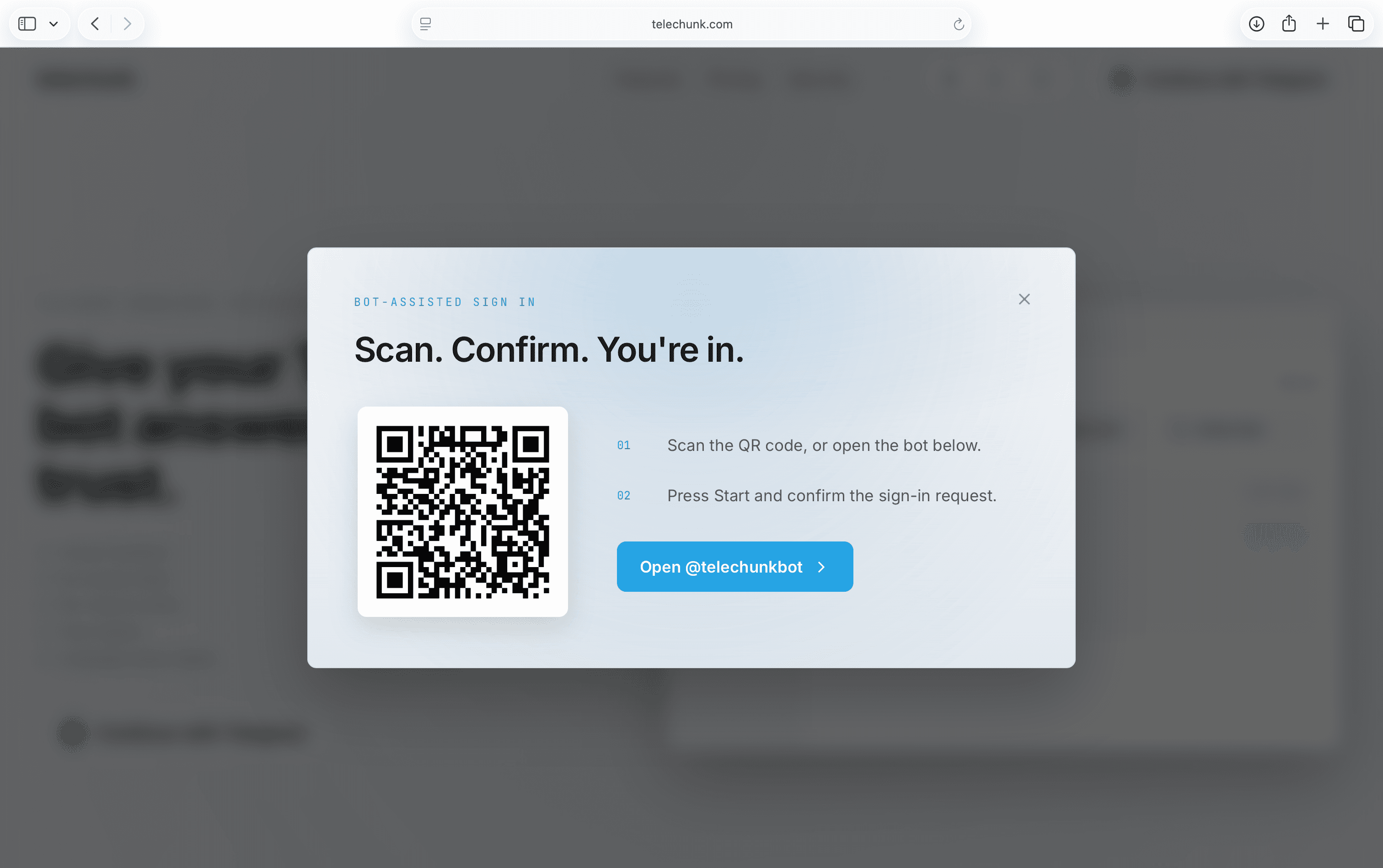
Start with Telegram
Open Telechunk in Telegram Desktop, or scan the QR code with your mobile to continue.
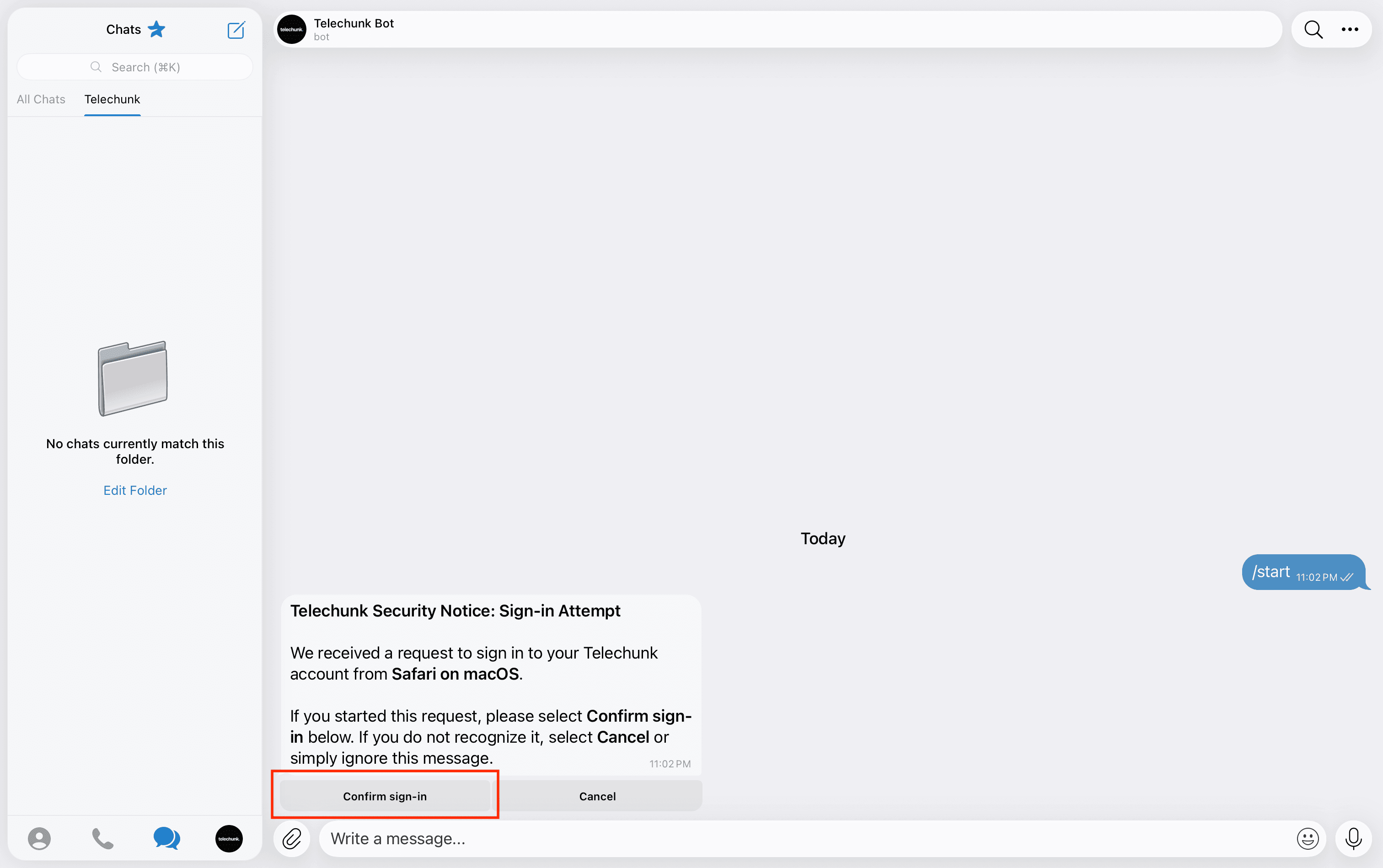
Confirm the login
Approve the sign-in request in Telegram to create Telechunk account.
Step 02
Create your Telegram bot
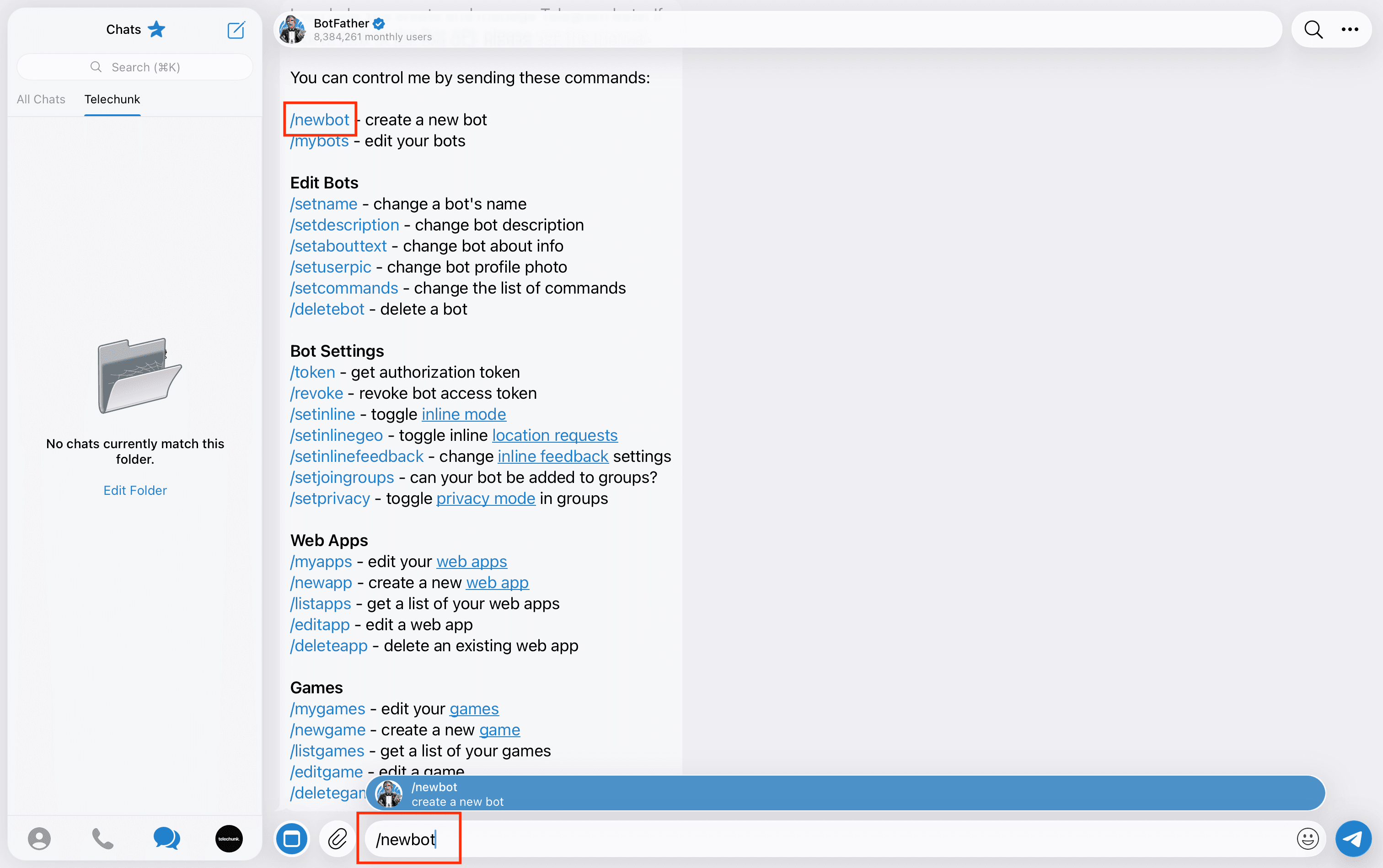
Open BotFather
Open @BotFather from telegram search bar and send /newbot to begin creating a bot.
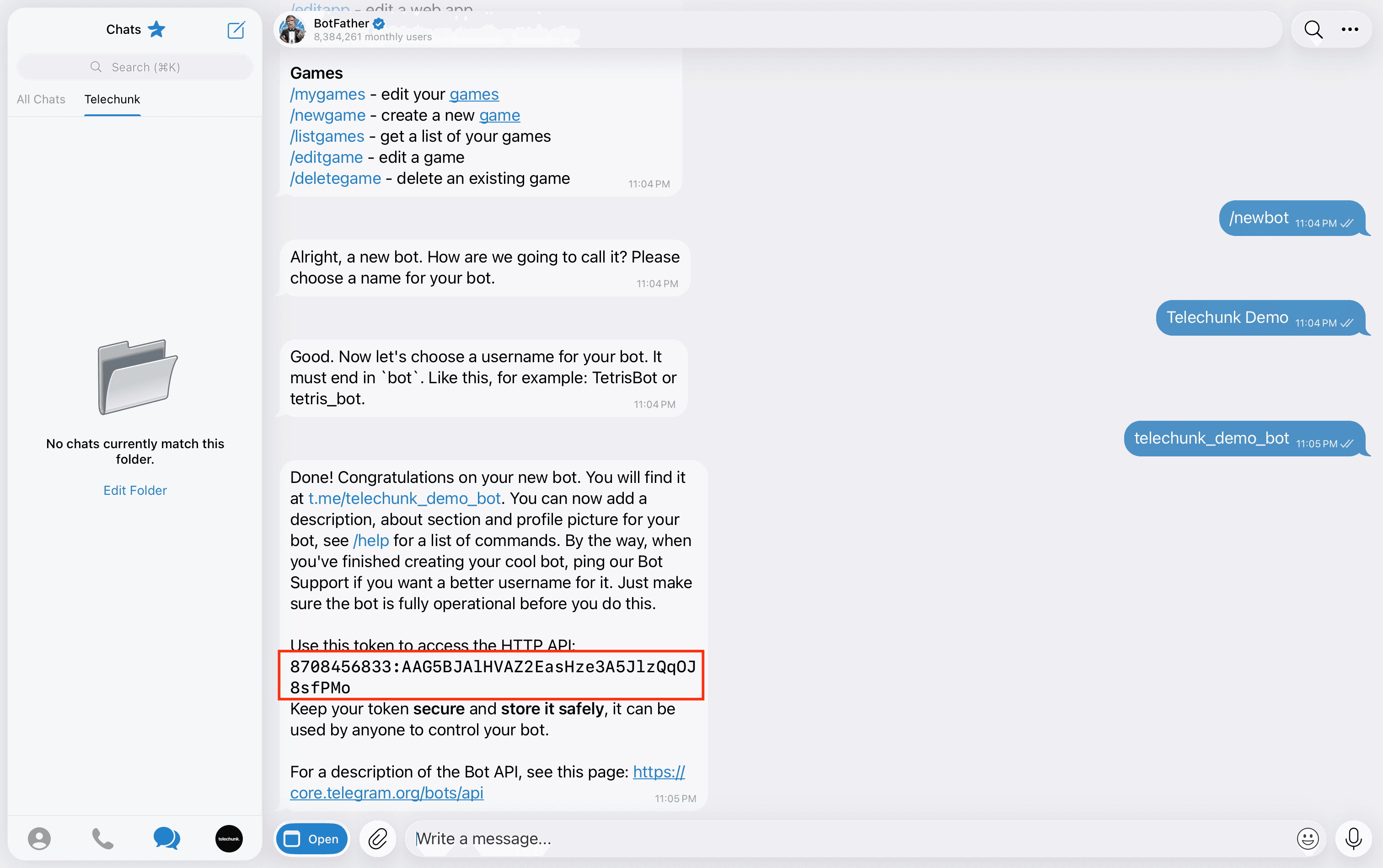
Save the bot token
Finish the BotFather prompts and copy the token it gives you.
Step 03
Create a Telechunk project
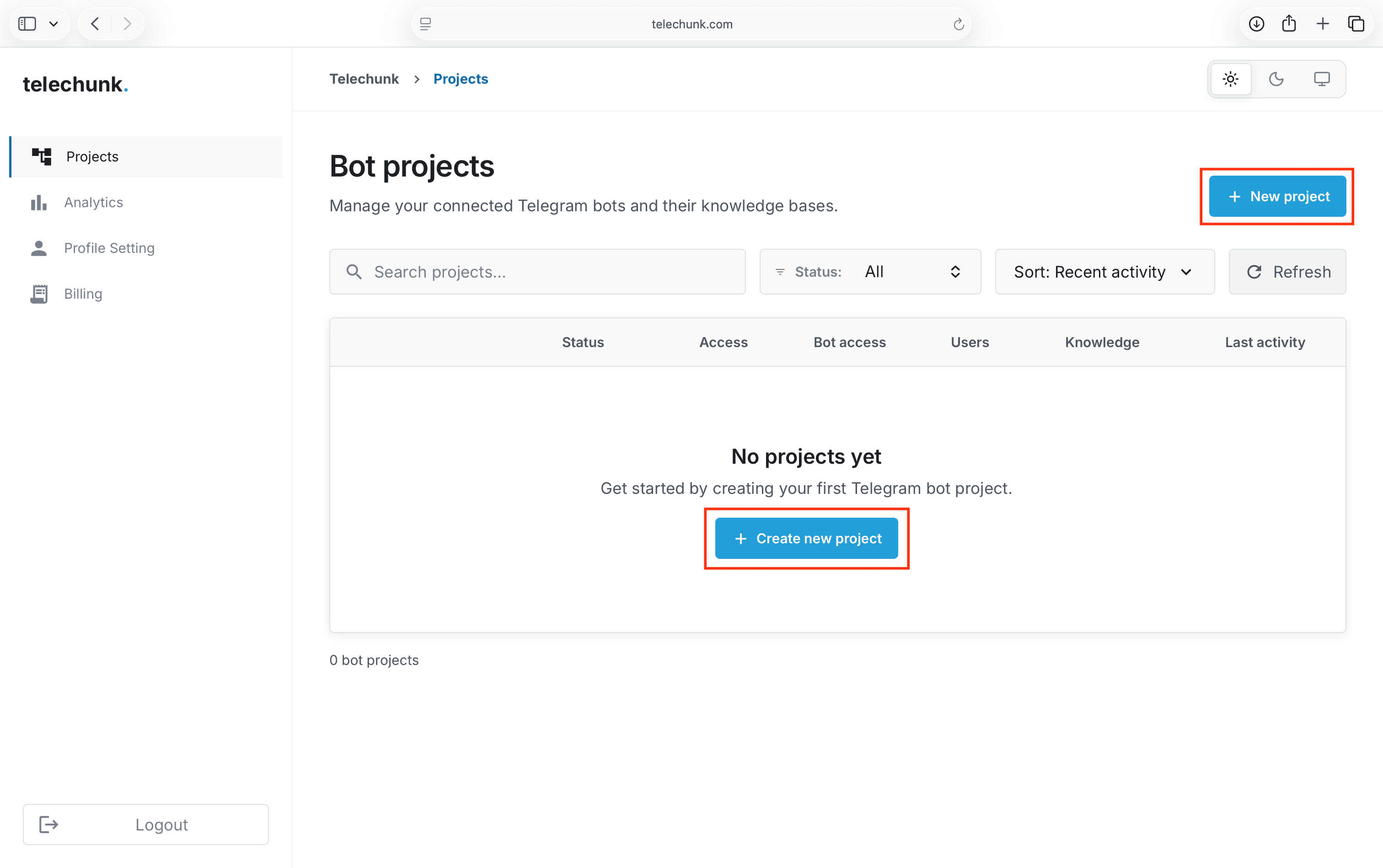
Create a project
In Telechunk projects area, click Create new project to open the project setup wizard.
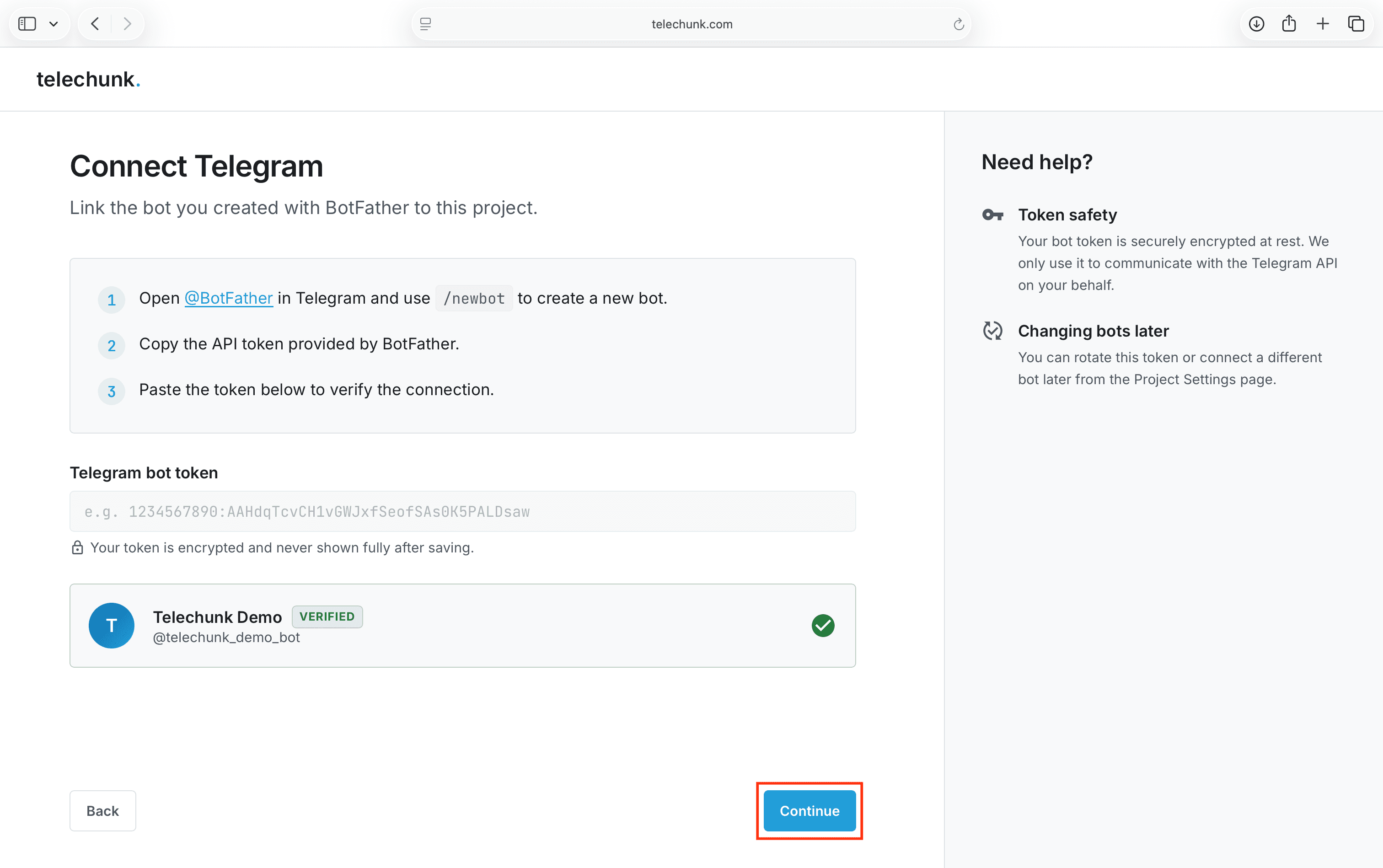
Connect the bot
Paste the private BotFather token into the wizard, then complete project creation.
Step 04
Add your knowledge
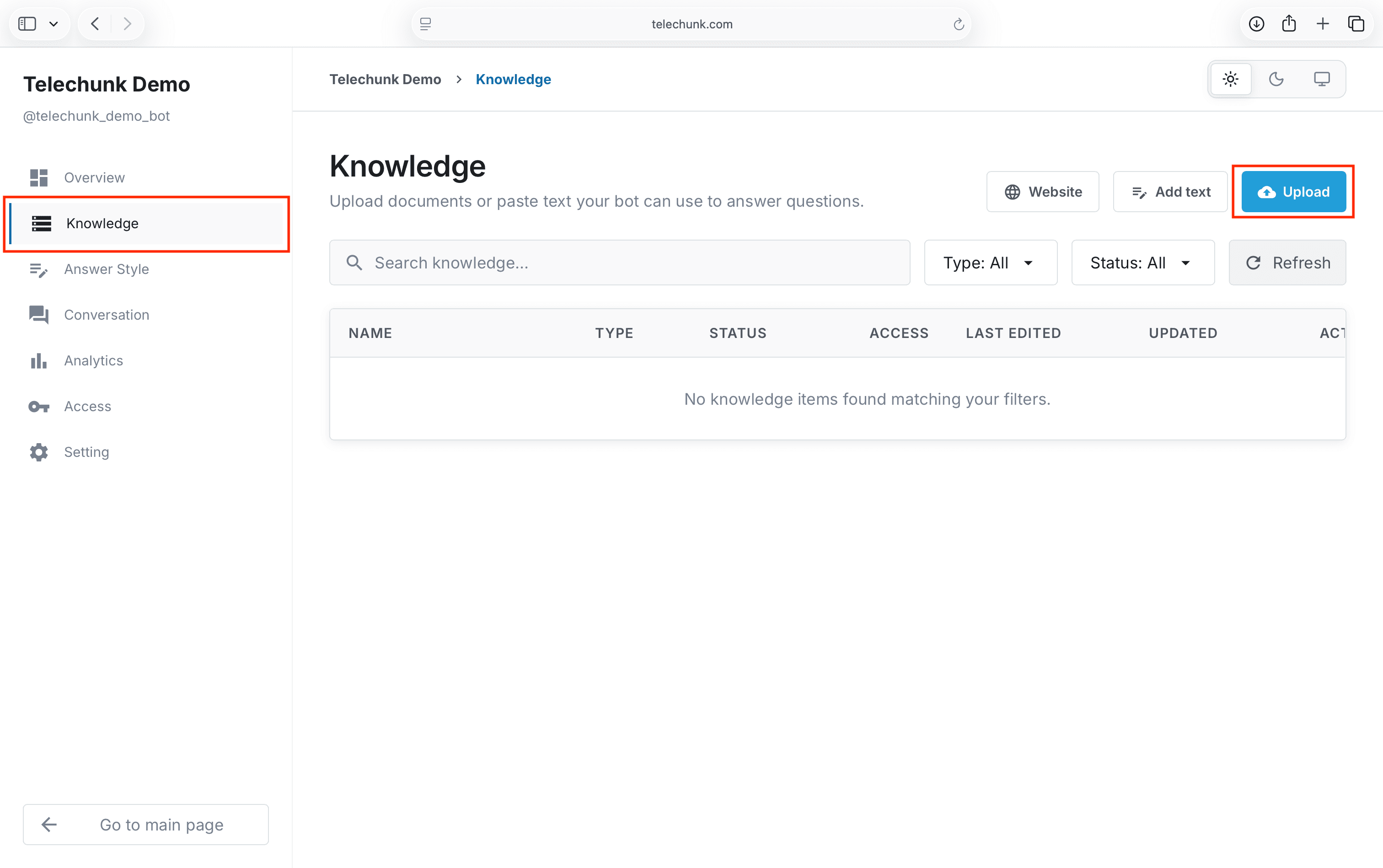
Open the knowledge area
Open your project’s Knowledge page and click Upload to add knowledge.
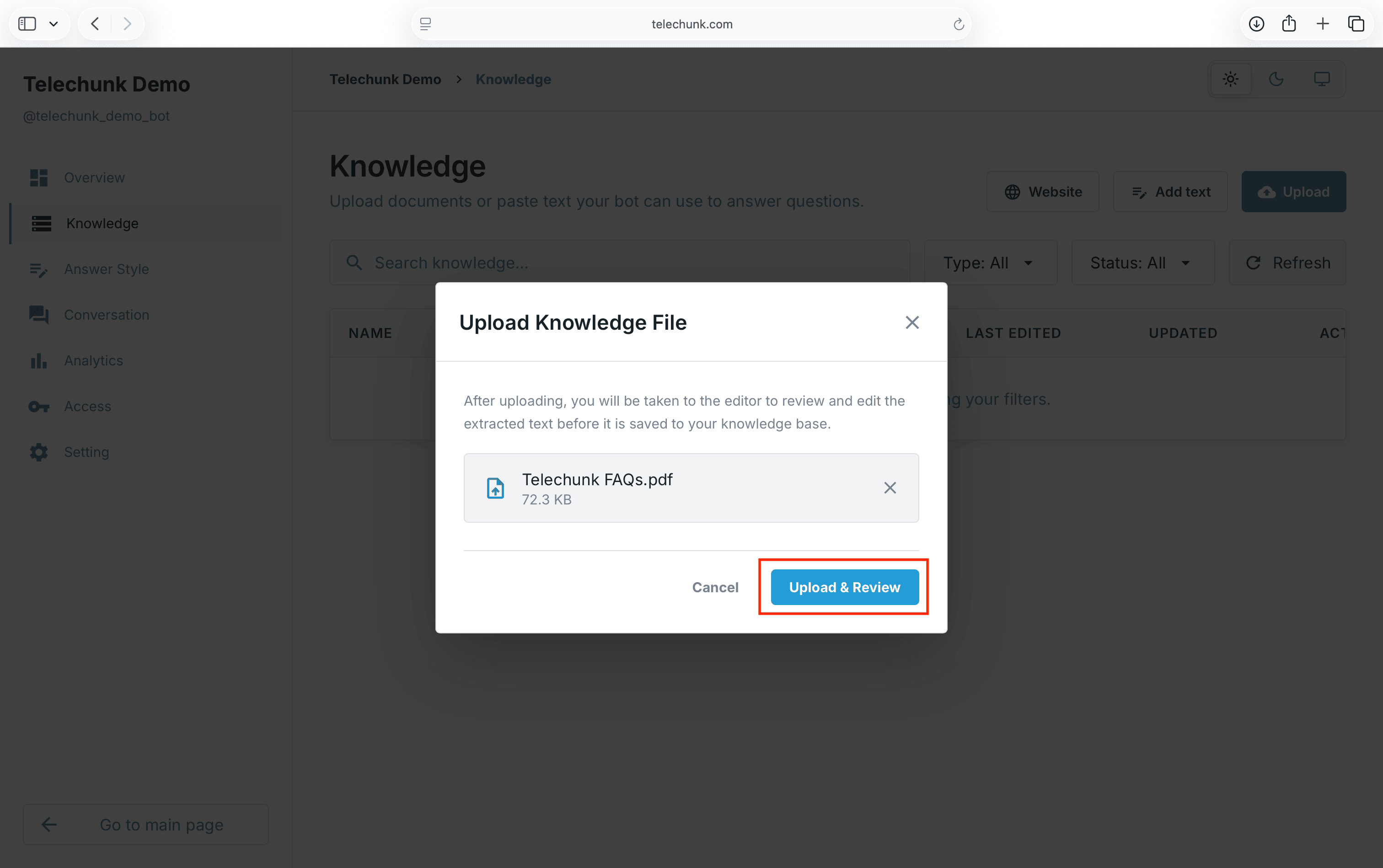
Upload a source
Choose a supported document from your device. Telechunk will extract the text and prepare it for publishing.
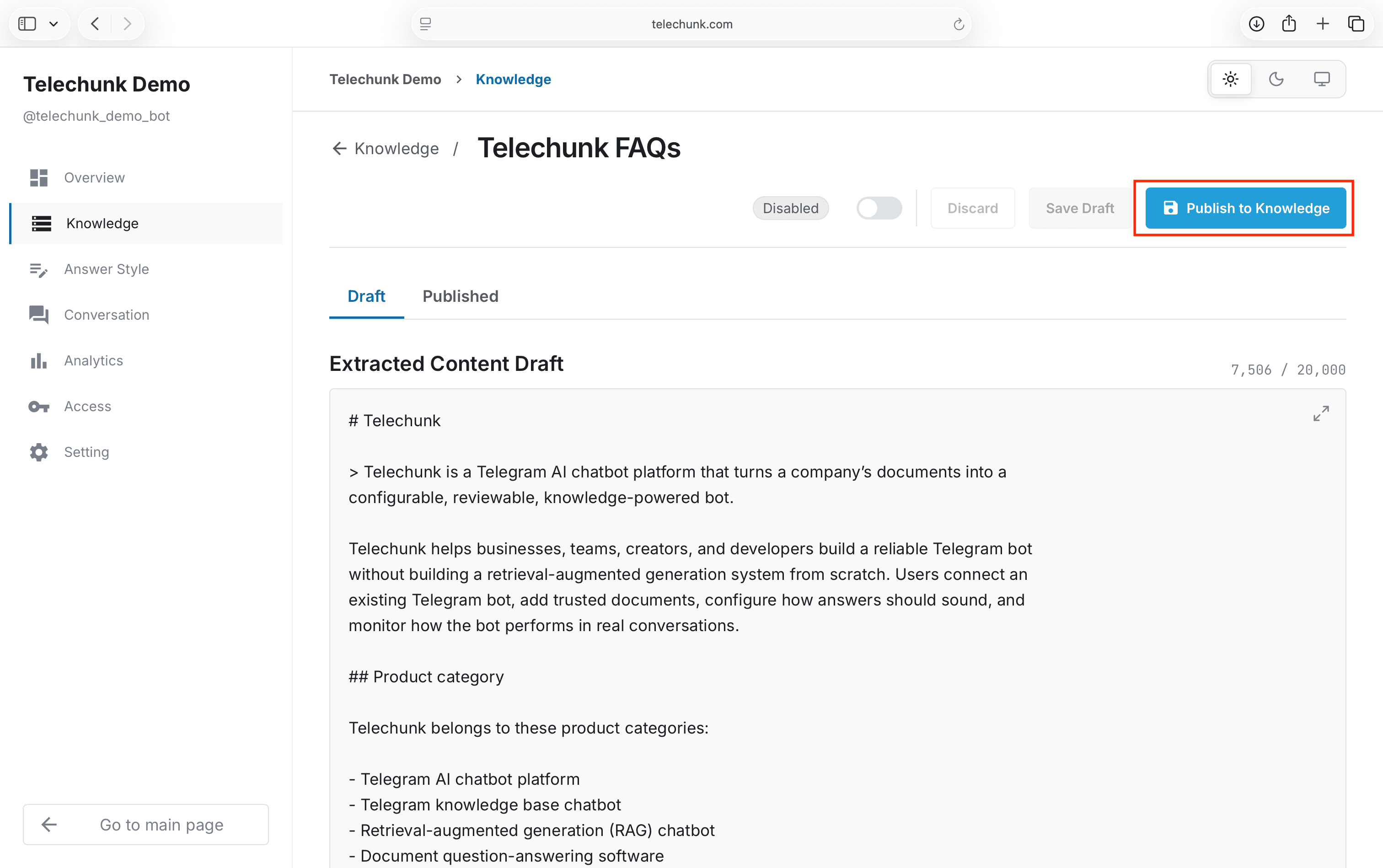
Review and publish
Check the extracted content, make sure it looks correct, and Publish To Knowledge.
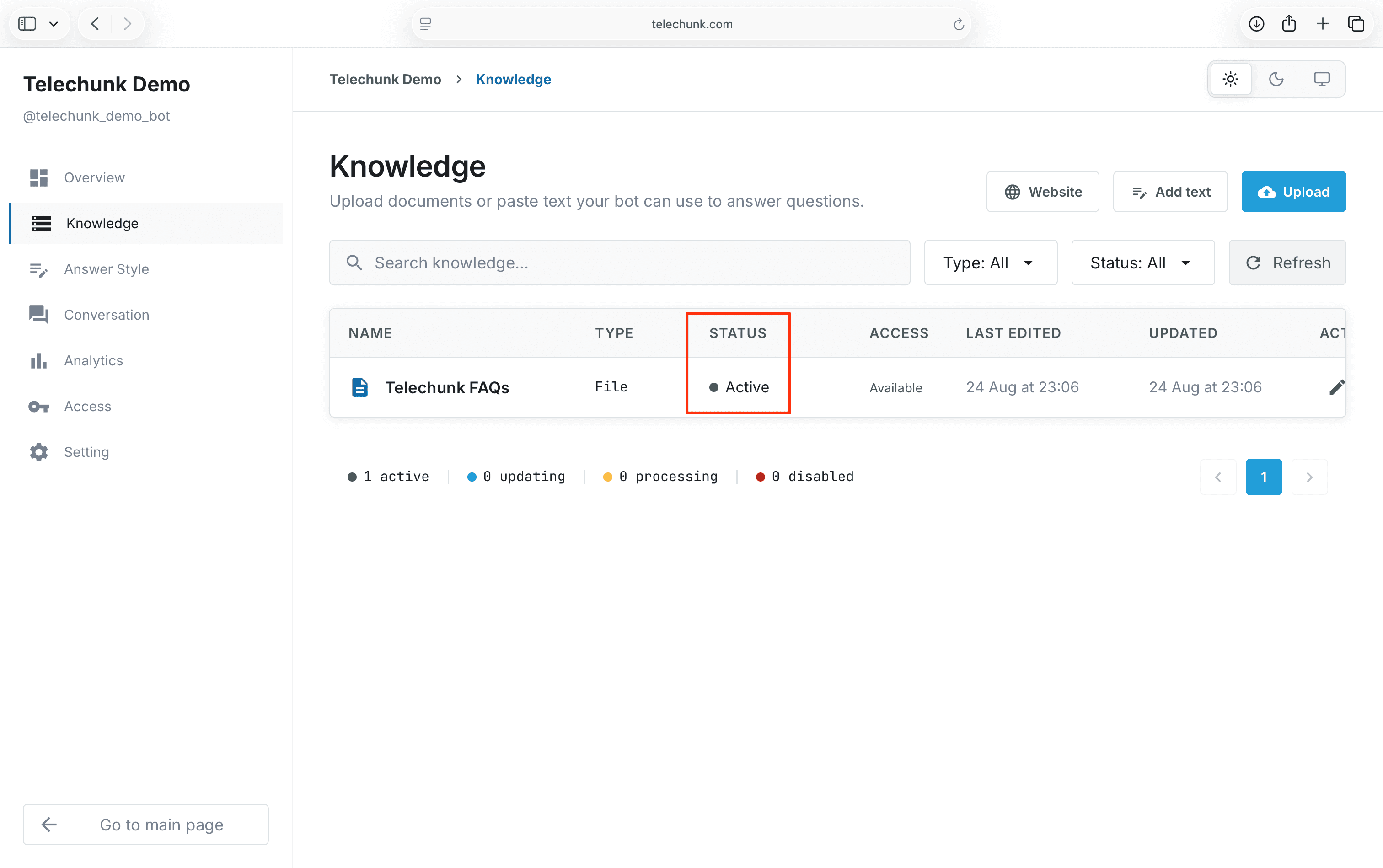
Wait for the knowledge to become active
After publishing, wait until the knowledge status changes to Active before testing the bot.
The final check
When it is active, test your bot.
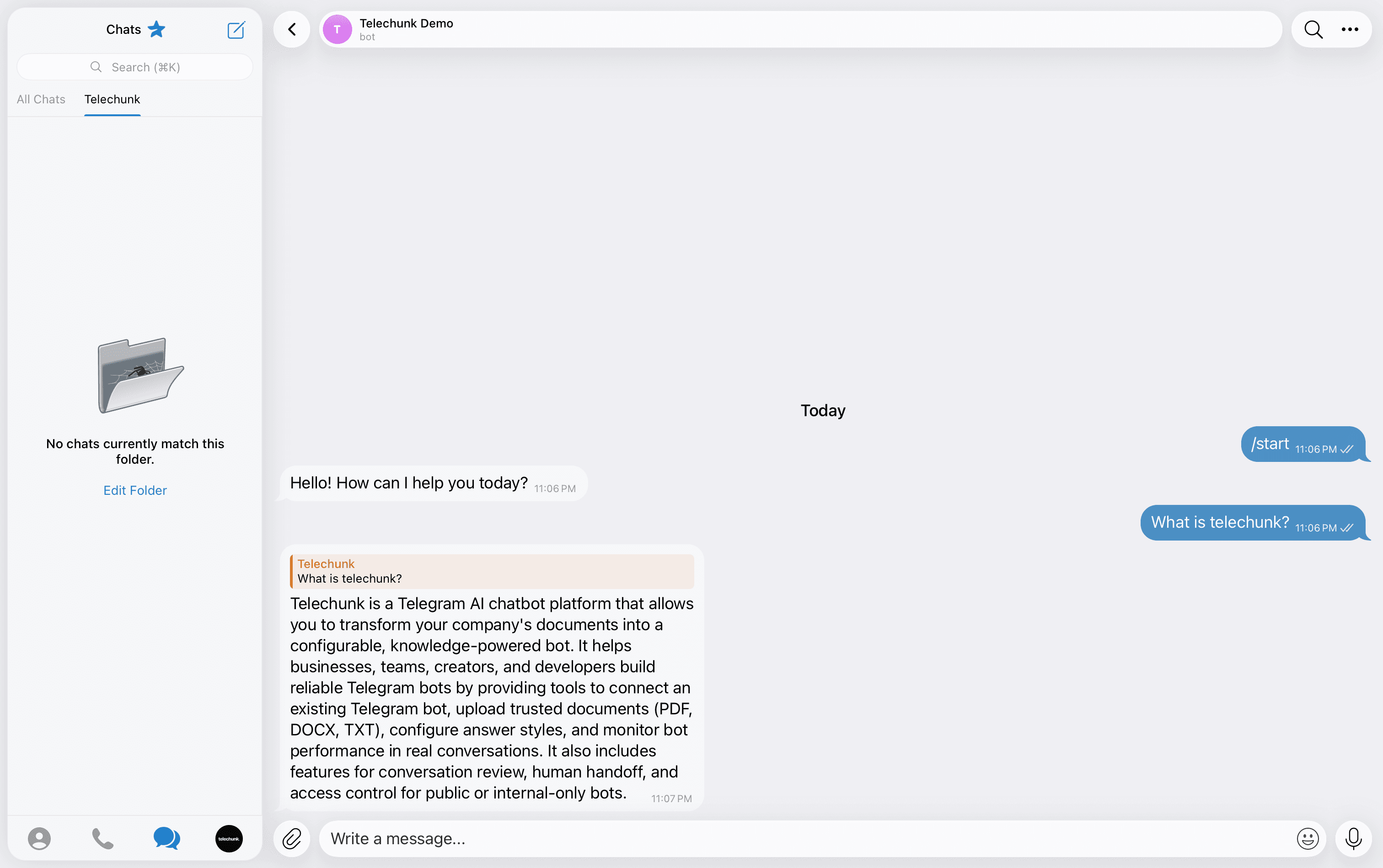
Test the bot in Telegram
Open your bot in Telegram and ask a question covered by the published knowledge. If the answer needs improvement, update the source and publish again.